Native Rust. Multi-threaded. One self-contained binary.
- ZIP + 7z both, auto-detected
- 3 attacks brute force, dictionary, mask
- All cores one worker per physical core
- 1 binary no runtime deps
ZIP and 7z alike
ZipCrypto and AES ZIPs, and AES-256 7z archives including header-encrypted ones. The type is read from the file's contents, not its name, and the encrypted entry is found for you.
Three ways in
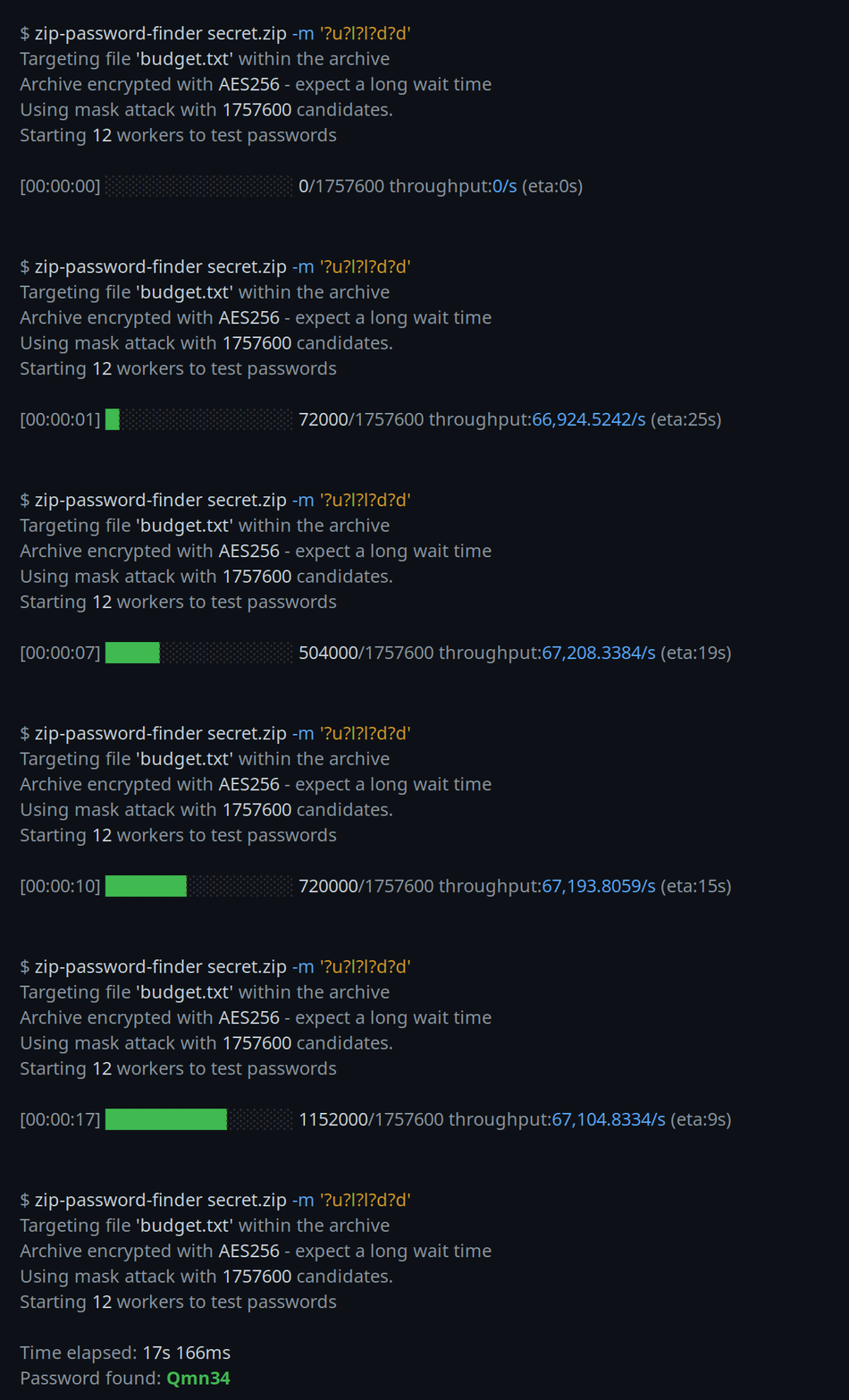
Brute force a combined charset, feed a wordlist, or write a mask like
?u?l?l?l?d?d when you remember the shape. Custom charsets and
resuming from a known point are built in.
Made to go fast
Every physical core runs a worker. ZIP uses a cheap per-candidate verifier; a native build with SHA instructions goes faster still. Ctrl-C stops cleanly and shows the last password tried.
Pick the attack that fits
The same three modes work on both ZIP and 7z. Give a mode, or let it brute force by default.
Brute force
Every password in a charset, across a length range. The default when no wordlist or mask is given.
$ zip-password-finder archive.zip -c lud --max-password-len 6Dictionary
Test the words of a file, one per line — the realistic choice for slow 7z archives.
$ zip-password-finder archive.7z -p wordlist.txtMask
A per-position pattern for a password whose shape you remember: one uppercase, three lowercase, two digits.
$ zip-password-finder archive.zip --mask '?u?l?l?l?d?d'Tuned for throughput
By default it runs one worker per physical core —
more than that tends to lose to contention. For AES, a CPU with SHA
instructions and a target-cpu=native build make the biggest
difference.
A word on 7z
7z derives its AES-256 key by iterating SHA-256 about 524,288 times per candidate, against 1,000 rounds for ZIP-AES, so throughput is far lower and brute force is impractical beyond very short passwords. Reach for a dictionary or mask attack there. AES-256 only, which is what every recent 7z build writes.
Tips & common questions
How long will it take?
Brute force grows exponentially — each extra character, or a wider charset, can turn minutes into years. If you remember any of the password's shape, a mask attack shrinks the space dramatically; otherwise a wordlist is usually faster than trying every combination. The progress bar shows a live ETA so you can decide whether to narrow the search.
It printed "Password not found" — now what?
That means the password simply was not in the space you searched, not
that the archive is unbreakable. Widen the charset (-c), raise
--max-password-len, or switch to a wordlist. Exit codes follow
grep: 0 found, 1 searched but not found,
2 an error.
Can I stop and resume a long run?
Yes. Ctrl-C stops cleanly and prints the last password it tried. For a
brute-force search, start again from there with
--starting-password so you do not retread ground.
How do I make it faster?
Build native with RUSTFLAGS="-C target-cpu=native", and for
AES use a CPU with SHA instructions. Keep the worker count at your physical
cores (the default) — more threads mostly add contention. Above all, narrow
the search: a mask or a wordlist beats raw brute force every time.
Does it handle AES and 7z archives?
Yes — ZipCrypto and AES ZIPs, and AES-256 7z including header-encrypted
ones (-mhe=on). The format is detected from the file's
contents, not its extension, and all three attack modes work the same on
both. Expect 7z to be much slower, so favour a dictionary or mask there.
Is it legal to use?
It is a recovery tool, for archives you own or are explicitly authorized to access — a forgotten password on your own backup, say. Using it against files that are not yours is on you.